AIRRELOAD / DOCUMENTATION
Getting started
Install Airreload and hot reload your first change.
Build on your computer, pair your phone, and open your app. No USB cable, ADB, or Android developer options needed. New here? Read Why Airreload?.
Before you start
- A standalone Flutter app with
pubspec.yaml,android/, and a top-levelmainunderlib/. - Git, Android build tools, and a JDK compatible with your project.
- An Android 8.0+ phone on the same trusted local network as your computer.
Airreload downloads its own Flutter SDK. You don't need to install Flutter or Dart separately. The first run needs internet access for SDKs and uncached dependencies.
Install the CLI
On an Apple Silicon Mac, run:
curl --proto '=https' --tlsv1.2 -sSf https://raw.githubusercontent.com/Airreload/installer/main/install.sh | bashOpen a new terminal, then check your installation:
airreload doctorUsing Linux? Follow the source installation.
Get Airreload Go
Airreload Go is temporarily distributed through GitHub while a Google Play release is planned.
- On your phone, download Airreload Go 1.1.0-beta.5 (APK). This is the latest published beta checked on October 4, 2026; see all releases for newer versions.
- Open the downloaded APK. If Android asks, allow your browser or file manager to install apps from this source, then tap Install.
- Open Go. Later, when it installs your project APK, Android may separately ask you to allow Airreload Go to install apps.
Go downloads your debug APK after pairing and opens Android's installer. You still approve installation in Android.
You may see this warning when installing Go (excerpt from a reported installation; layout may vary):
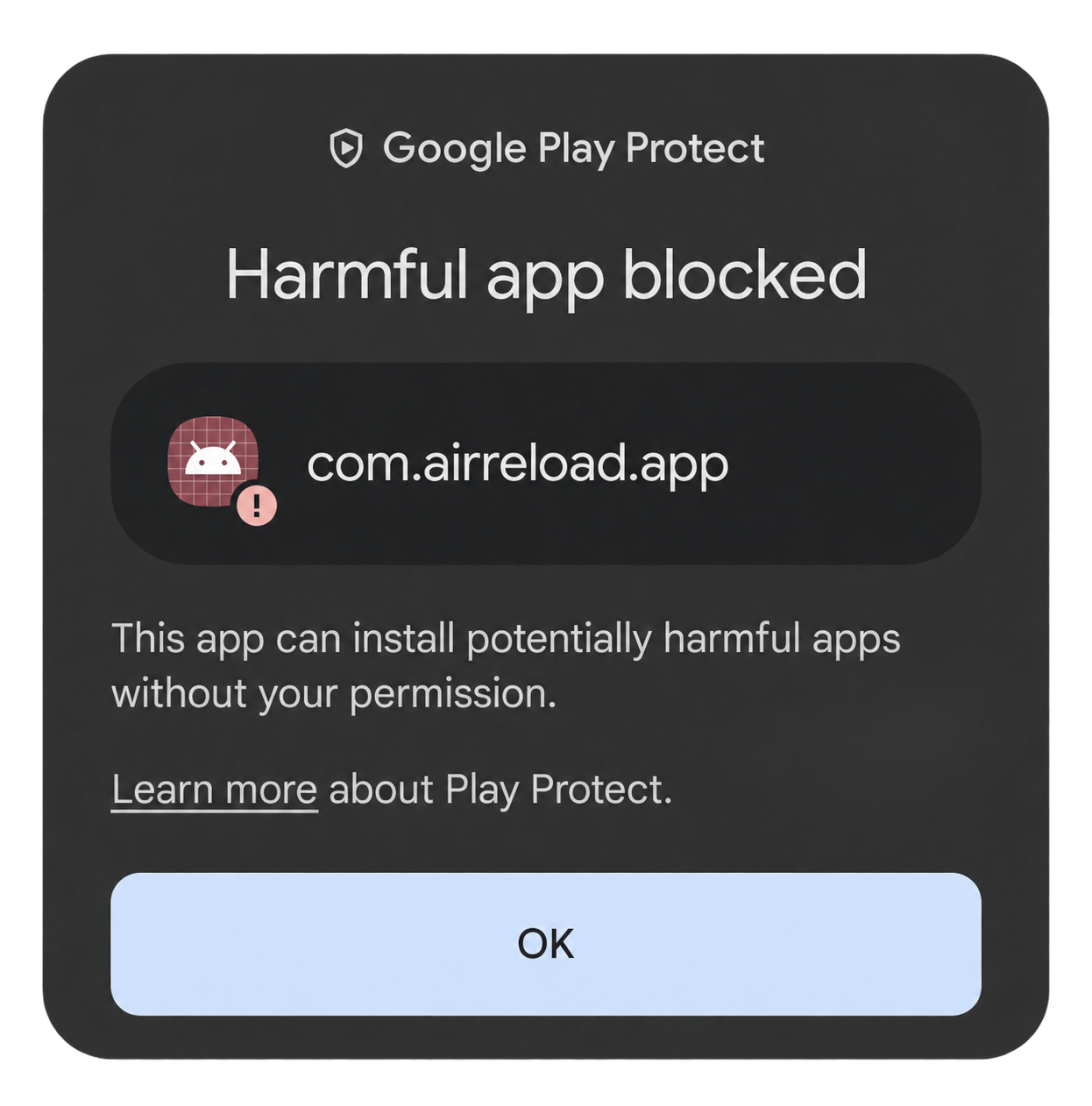
This is a Play Protect security warning, separate from the permission to install unknown apps. Being outside the Play Store alone does not explain a harmful-app classification. The cause of this reported warning has not been confirmed.
Optional, for a development device: if you trust the official APK and choose to proceed, you can temporarily turn off scanning. This reduces protection for your device, not just Go. Google recommends keeping Play Protect enabled.
- Open the Google Play Store on your phone.
- Tap your profile icon → Play Protect → Settings (the gear).
- Turn off Scan apps with Play Protect and confirm if prompted.
- Open the official Go APK again and complete Android's installation prompts.
- Return to the same settings and turn Scan apps with Play Protect back on immediately.
Menu labels can vary. If the option is unavailable on a managed device, contact its administrator. If Go is blocked or removed again after scanning is enabled, report it rather than leaving protection off. This workaround is not a security verification of the APK or a guarantee that installation will succeed.
See Google's Play Protect settings guide and guidance on harmful-app warnings.
Run your app
In your Flutter project directory, run:
airreload runA pairing page opens on your computer. Scan its QR with Airreload Go and tap Pair and download. When the build finishes, approve Android's Install screen and open your app.
If prompted, allow Go to install apps from this source. Keep the terminal running while the CLI builds and connects.
Make a change
Edit a visible widget under lib/, save, and press r in the terminal. Your app hot reloads while preserving its current state.
Use R for hot restart, or Ctrl-C to end the session.
You're ready to build. See everyday development for reconnecting and knowing when to rebuild, or troubleshooting if you're stuck.
Airreload currently supports Android debug apps, one phone per session. Pub workspaces and add-to-app modules are unsupported. Supported phone architectures are arm64-v8a, armeabi-v7a, and x86_64; x86-only devices are unsupported.
Available Flutter preview versions: 3.47.5, 3.44.9, 3.41.9, and 3.38.10. Your dependencies must be compatible with the selected release. See Flutter version selection.
There is no iOS flow or native installer for Linux, Intel Macs, or Windows ARM64. Go uses a single APK; app bundles and split APK sets are unsupported.